Start a hunt
Describe your ideal home in plain English and let HomesToCompare turn that brief into an active hunt that watches the market for you.
A hunt is a saved search that works for you in the background. You don't fill in dropdowns and sliders — you describe what you're after in plain English, and HomesToCompare turns that brief into an active hunt that watches the market.
Write your brief
Head to the start page and choose the hunt path. Tell us what you're looking for the way you'd tell a friend — for example, the area or commute that matters, your budget, how many bedrooms, and any deal-breakers or nice-to-haves.
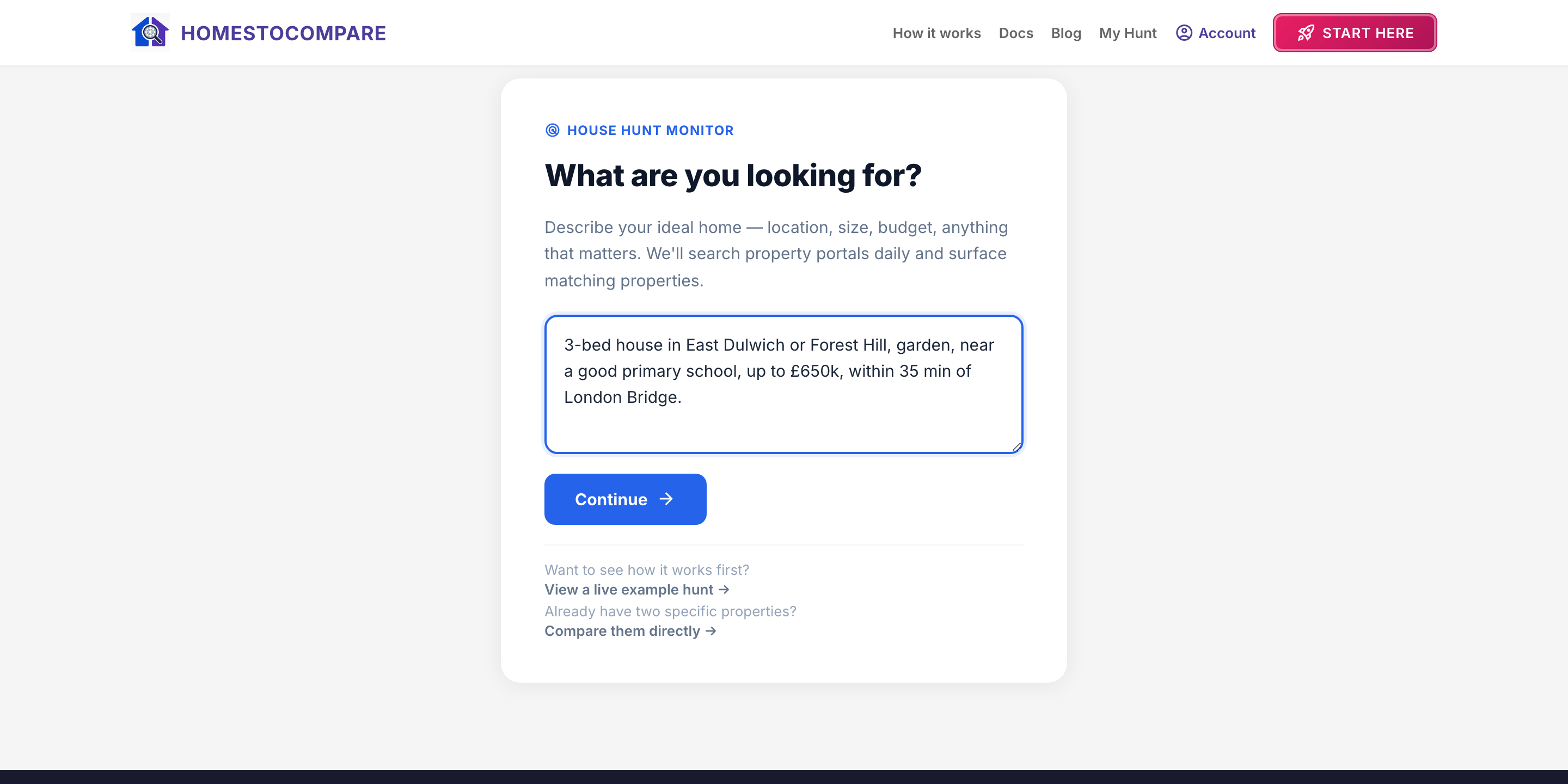
The more specific you are, the better the matches. A good brief usually covers:
- Where — a town or postcode area. Mention any commute requirements separately.
- Budget — a maximum, or a range.
- Size — bedrooms, and whether you need outdoor space or parking.
- The things that actually matter — schools, a garden, period features, low running costs.
Use “up to £500k” or “£500,000 max” for a firm price limit. “Around £500k” and “ideally three bedrooms” are preferences rather than strict search filters. If your brief excludes areas or makes your budget depend on the property, you'll be asked to refine it before an automatic search can start.
Your hunt is created
Once you submit, HomesToCompare creates the hunt and begins searching the portals. You land on your hunt page, which shows its status and a link through to the monitor board where matches appear.
Editing or refining a hunt
If the matches aren't quite right, you can refine the brief from the hunt page. Narrowing the area or budget usually tightens the results quickly.
Next step
With a hunt running, new matches start arriving on the monitor board. The next guide shows how to work that board into a shortlist.