Account and billing
Signing in with a magic link, the 30-day paid-plan trial, and how to upgrade, switch, or cancel a plan from the Stripe billing portal.
HomesToCompare keeps accounts deliberately simple: there are no passwords to remember, and you only add a card when you actually start a paid plan. This guide covers signing in, the trial, and managing your subscription.
Signing in with a magic link
HomesToCompare offers magic-link sign-in — no password needed. You enter your email on the sign-in page, we send you a one-time link, and clicking it signs you in (it also creates your account if you're new). Prefer a password? You can set one when you create an account, or use Google.
- Go to the sign-in page and enter your email address.
- Open the email from HomesToCompare and click the sign-in link.
- You land back on the site, signed in. The link is single-use and expires shortly, so use the most recent email if you requested more than one.
The 30-day trial
A free account gives you unlimited side-by-side comparisons straight away. The paid features — monitoring and AI — come with a 30-day trial that starts when you verify your email, and no card is required until the trial ends. You won't be charged automatically at sign-up; you only pay when you choose to continue on a paid plan.
Choosing a plan
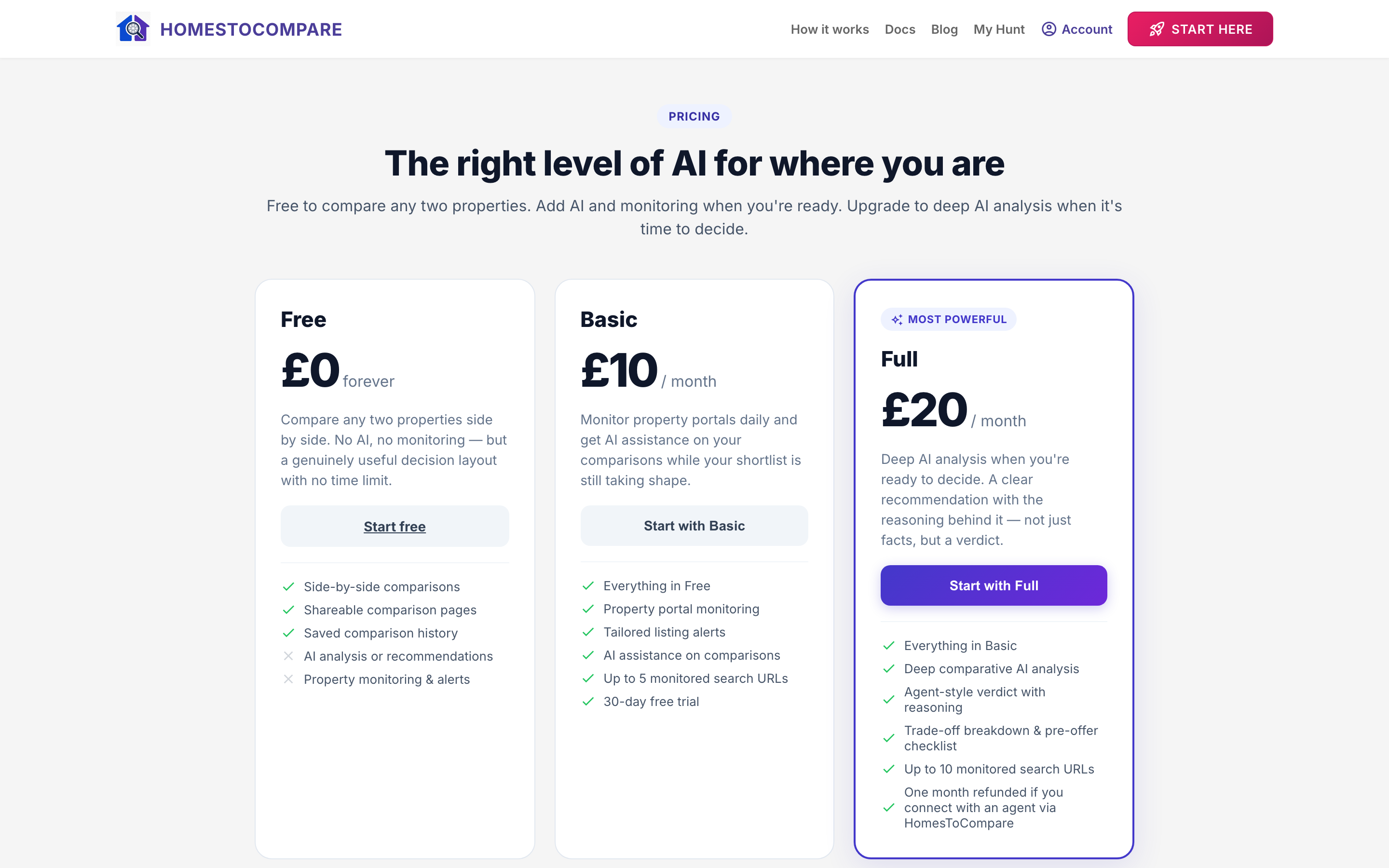
Plans differ by AI capability and monitoring, not by how many comparisons you can run — comparisons are unlimited on every plan.
- Free — unlimited comparisons. No AI analysis, no monitoring.
- Basic — £10/month — adds daily property monitoring, alerts, and AI assistance.
- Full — £20/month — adds deep AI analysis and up to 10 monitored search URLs.
Compare them side by side on the pricing page, then start a plan from there.
Managing your subscription
Everything to do with your plan lives on the billing page (Account → Billing). From there you can see your current plan and trial status, and open the Stripe billing portal to update your card, switch plans, or cancel.
Upgrading or switching
Open the billing portal from the billing page and choose the plan you want. Changing plans takes effect according to Stripe's proration, so you're only charged for what you use.
Cancelling
Cancel any time from the same Stripe portal. Cancellation takes effect at the end of your current billing period — your paid features stay active until then, and you're not charged again. After it lapses you keep your free account and unlimited comparisons.